Everyday health and NHS services, explained
How to Set Up a Desk to Avoid Back and Neck Pain
8 November 2026
Need help now?In an emergency, call 999. If you need medical help and aren't sure where to go, use NHS 111 online or call 111. This site shares general information only, not medical advice.
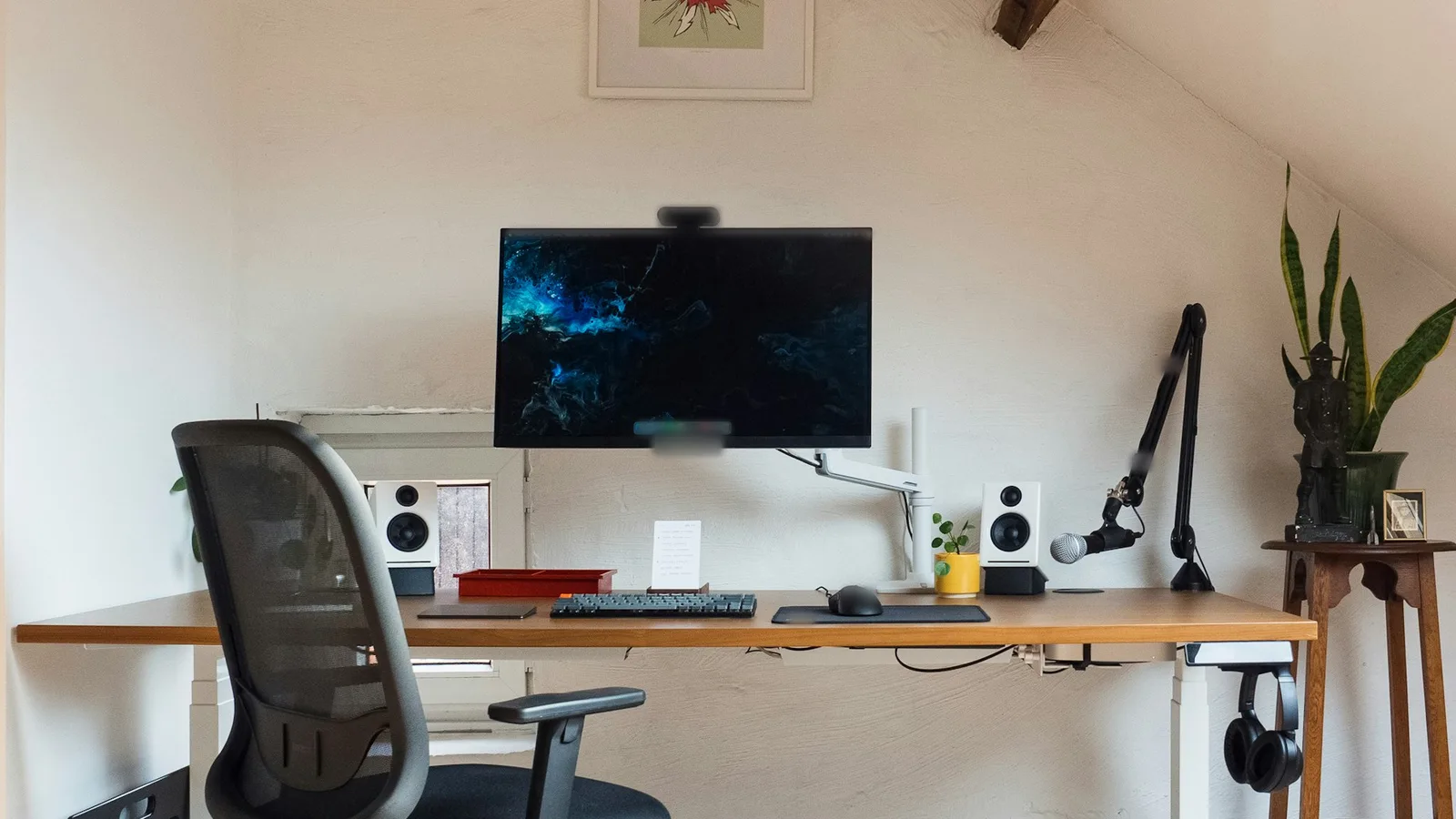
Knowing how to set up a desk to avoid back and neck pain starts with the guidance from the Health and Safety Executive (HSE), the body that regulates workplace health and safety in Great Britain. HSE says poorly designed workstations, or using screens incorrectly, can lead to pain in the neck, shoulders, back, arms, wrists and hands, as well as fatigue and eye strain. This guide sets out what HSE says good posture looks like, at home or in the office.
Quick answer: HSE says the top of your screen should be level with your eyes and about an arm's length away, with the keyboard just below elbow height, the mouse in line with your elbow, and the screen and keyboard straight in front of you so you don't twist. Your chair should support your lower back and both the front and back of your thighs. Take short, frequent breaks: 5 to 10 minutes every hour is better than 20 minutes every 2 hours.
Key Takeaways
Top of the screen level with your eyes, about an arm's length away.
Keyboard just below elbow height, mouse in line with your elbow, and relaxed shoulders.
For long spells on a laptop, HSE suggests a separate keyboard and mouse so the screen can be raised.
Short breaks often are better than longer breaks less often.
If you use a screen daily for an hour or more at a time, your employer must assess your workstation.
The HSE desk set-up
The HSE page Good posture when using display screen equipment gives this checklist for a standard workstation:
top of the screen level with your eyes, about an arm's length away
shoulders relaxed: sit high enough that you don't need to shrug
keyboard just below elbow height
seat height that supports the front and back of your thighs equally (or a cushion to raise you)
a seat back that gives good lower back support (or a cushion for extra support)
a gap of 2 to 3 cm between the front of the seat and the back of your knee
computer and screen directly in front of you
screen and keyboard central, so you don't twist your back
mouse in line with your elbow
Working on a laptop
HSE adds extra points for setting up a laptop for prolonged use. For long spells on a laptop, HSE suggests a separate keyboard and mouse, so the laptop screen can be raised on a laptop riser or something similar, or a separate display screen.
Take regular breaks
The HSE page Work routine and breaks says there's no legal guidance on how long or how often breaks should be, because it depends on the work. Its advice is to take short breaks often rather than longer ones less often. For example, 5 to 10 minutes every hour is better than 20 minutes every 2 hours.

HSE says breaks or changes of activity should let you get up from your workstation and move around, or at least stretch and change posture. Ideally, you should be able to choose when to take them.
Moving more through the day helps in other ways too. Our guide on how much physical activity adults need explains why the NHS recommends breaking up long periods of sitting.
What your employer has to do
The HSE overview page Working safely with display screen equipment says the Health and Safety (Display Screen Equipment) Regulations apply to workers who use screens daily, for continuous periods of an hour or more. HSE calls them DSE users. The law applies whether you work at a fixed desk, hot-desk, work on the move or work from home.
For DSE users, HSE says employers must:
carry out a DSE workstation assessment
reduce risks, including making sure workers take breaks from screen work or do something different
provide an eye test if a worker asks for one
provide training and information
The HSE page on workstations and assessment says employers must also reassess when a new workstation is set up, a new user starts, a workstation or the way it's used changes, or a user complains of pain or discomfort.
Quick desk check
Part of the set-up | What HSE says |
|---|---|
Screen | Top level with your eyes, about an arm's length away, directly in front of you |
Keyboard | Just below elbow height, central in front of you |
Mouse | In line with your elbow |
Chair | Supports the front and back of your thighs and your lower back. 2 to 3 cm gap behind your knees |
Laptop | Separate keyboard and mouse, with the screen raised or a separate display |
Breaks | Short and often, for example 5 to 10 minutes every hour |
If you already have back or neck pain
HSE's advice is about reducing the risks of screen work. It isn't a treatment for pain you already have. The NHS page on back pain says back pain is very common and usually improves within a few weeks, though it can sometimes last longer or keep coming back. It says it helps to stay active and keep up your daily activities.
The NHS says to see a GP if back pain doesn't improve after treating it at home for a few weeks, stops you doing day-to-day activities, or you're worried about it. In many areas, it says you may be able to get help such as physiotherapy from NHS community musculoskeletal (MSK) services without a GP referral.
It says to ask for an urgent GP appointment or get help from NHS 111 if you have back pain and feel hot, cold, shivery or generally unwell, or the pain is severe, starts suddenly or is getting worse quickly.
The same NHS page lists symptoms with back pain that mean you should call 999 or go to A&E, including pain, tingling, weakness or numbness in both legs, chest pain, or pain that started after a serious accident. Read the full list on the NHS page, and see our guide on when to use NHS 111, A&E or your GP for how the services fit together.
The NHS page on neck pain says most neck pain only lasts a few weeks, and lists bad posture, for example sitting at a desk for a long time, among the most common causes. It says to see a GP if neck pain or stiffness doesn't go away after a few weeks, painkillers haven't worked, you're worried about the pain, or you have other symptoms like pins and needles or a cold arm.
If you need to find a GP, our guide on how to register with a GP practice explains how.
For a one-page overview of 999, A&E, NHS 111, pharmacies and GPs, see our page on where to get NHS help.
Frequently asked questions
How high should my computer screen be?
HSE says the top of the screen should be level with your eyes and about an arm's length away, directly in front of you.
How often should I take a break from my screen?
HSE says there's no legal guidance on how long or how often breaks should be, but short breaks often are better than longer ones less often. For example, 5 to 10 minutes every hour is better than 20 minutes every 2 hours.
Does my employer have to check my home workstation?
HSE says the display screen equipment law applies to home workers who use screens daily for continuous periods of an hour or more, and employers must do a workstation assessment for these users.
Can I get an eye test through work?
HSE says employers must provide an eye test for display screen equipment users if they ask for one.